Skip Navigation
Skip Navigation

TSplus Remote Support – Secure & Instant Remote Desktop Assistance

Enterprise-grade remote support software that enables secure screen sharing, unattended access, and real-time troubleshooting without complex VPN setup.
Deliver fast and secure remote assistance to clients, employees, and servers using TSplus Remote Support. Lightweight, encrypted, browser-based, and easy to deploy.

Remote IT Support Should Not Be Complicated or Risky

Remote support is no longer optional. Every business today depends on fast, secure, and reliable remote assistance. But most remote desktop tools create more problems than they solve.
Many organizations struggle with:

Expensive Subscription-Based Tools

Most remote desktop support software comes with recurring monthly costs that increase as your team grows.

Complex VPN & Firewall Configuration

Traditional remote access solutions often require VPN setup, port forwarding, or advanced firewall changes that increase security risks.

Insecure Remote Session Risks

Unsecured remote sessions can expose your infrastructure to unauthorized access, data leaks, and compliance violations.

Heavy Software & Performance Issues

Bulky remote support tools consume system resources and impact server or workstation performance.
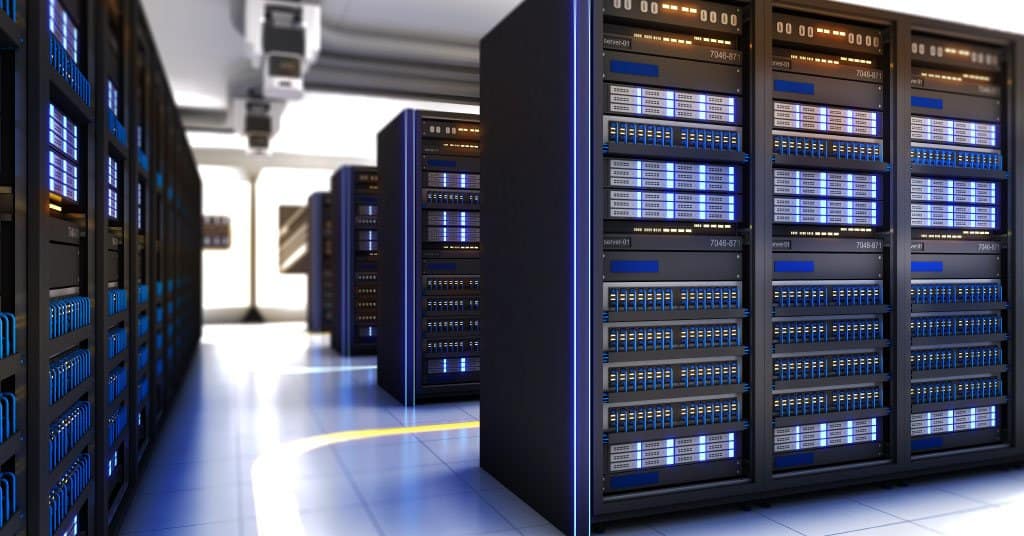
Expert Data Center Design and Build

What is TSplus Remote Support?

TSplus Remote Support is a secure, browser-based remote desktop support software designed for IT teams, service providers, and businesses that need fast and reliable remote assistance.
It allows you to connect to remote computers instantly without complex VPN setup or heavy software installation. Support sessions can be launched directly from a web browser, making deployment simple and efficient.

TSplus Remote Support enables:

Instant Remote Desktop Access

Connect to a remote computer immediately through a browser without complex setup or VPN configuration.

Secure Screen Sharing

View and control the remote screen in real time with protected access to ensure safe troubleshooting.

Unattended Remote Access

Access remote machines anytime, even when no user is present, for maintenance, updates, or monitoring.

File Transfer During Sessions

Securely send and receive files between local and remote systems while the support session is active.

Multi-User Support Management

Handle multiple support sessions simultaneously and manage different clients or devices efficiently.

Encrypted Remote Connections

All remote sessions are protected with strong encryption to prevent unauthorized interception or data exposure.

Key Features of TSplus Remote Support

Advanced Features for Secure Remote Desktop Support
TSplus Remote Support delivers enterprise-grade remote IT support with powerful tools designed for IT teams, MSPs, and helpdesk professionals.
Provide secure screen sharing and take control of the remote screen, mouse, and keyboard in real time. End-users can authorize access with one click, allowing fast and controlled remote troubleshooting. Ideal for secure remote assistance and instant technical support.

Allow multiple support agents to connect to the same remote computer simultaneously. Perfect for collaborative troubleshooting, training sessions, and complex issue resolution.

This feature enhances team efficiency in professional remote IT support environments.

Both agents and end-users have dedicated chat interfaces during remote sessions. Agents access advanced session tools, while users experience a simplified, intuitive chat window.

Ensures smooth communication during secure remote desktop support sessions.

Support agents can switch the remote support interface language instantly. Designed for global IT service providers and international businesses.

Improves usability across diverse support teams.

Execute important keyboard commands such as Ctrl+Alt+Del or launch Task Manager directly on remote computers.

Enhances advanced troubleshooting capabilities in secure remote access environments.

Access and switch between multiple displays on remote systems with ease. Fully supports multi-monitor configurations for professional workstations.

Critical for modern remote desktop support software.

View essential system details including OS version, hardware configuration, and user account information before or during sessions.

Enables faster diagnostics and efficient remote IT support resolution.

Access and switch between multiple displays on remote systems with ease. Fully supports multi-monitor configurations for professional workstations.

Critical for modern remote desktop support software.

Record remote support sessions and save them as video files for compliance, training, or auditing purposes.

Strengthens accountability in professional remote assistance services.

Enable or disable copy-paste functionality between local and remote systems. This provides enhanced control over data security during encrypted remote support sessions.

Capture screenshots instantly during support sessions with one click. Useful for documentation, reporting, and troubleshooting analysis.

These advanced capabilities make TSplus Remote Support a powerful, secure, and cost-effective remote desktop support software built for modern IT teams.

Pricing & Packages

Starter Plan

Upto 2 Concurrent Connection

$8 / connection / month (billed yearly)

Ultimate Edition

One-time Purchase

₹ 16,330/ server

Ultimate Edition

One-time Purchase

₹ 16,330/ server

Ultimate Edition

One-time Purchase

₹ 16,330/ server

Pricing & Packages

1 Concurrent Connections

What are concurrent connections?

$8 /concurrent connection /month

$96 billed yearly for 1 concurrent connections

Main features

Our Data Center Design and Build Process

Strategy

We leverage our technical expertise to strategize and plan your data center project, ensuring it meets regional and international standards for efficiency and reliability.

Planning

Our systematic approach to data center design includes detailed planning and budgeting to align with your business goals and infrastructure requirements.

Development

We specialize in developing data centers that optimize your IT resources, enhance security, and support future growth while improving operational efficiency.

Compliance Check

Every aspect of the data center design is rigorously checked to ensure compliance with industry standards & regulatory requirements, providing you with peace of mind.

By following this comprehensive process, Tech Guru IT Solutions delivers Data Center Architecture that is efficient, scalable, and future-proof, tailored to meet your specific business needs.

Secure Your Windows Server Before the Next RDP Attack

Brute force bots scan exposed servers 24/7. Ransomware does not give warnings. Strengthen your Windows Server RDP security with TSplus Advanced Security today.

Deploy advanced RDP brute force protection, Geo IP blocking, and anti ransomware for Windows Server in minutes.
Tech Guru IT Solutions ensures complete TSplus server hardening and secure Windows remote access without complex firewall upgrades.

start your project now

contact us today

Everything you need in an IT Service Desk Software.

care@techguru.co.in

We reply within 24 hours

Have any questions?​

Working hours​

Mon-Sat, 10am until 6pm

Core Values

Integrity | Customer Delight | Ethical & Compliant | Empowerment |
Honesty & Trust | Transparency | Fairness | Passion to Succeed |
Deliver on Promises | Ownership

Customized IT Solutions for Your Unique Needs: Reach Out Today!

New form for whole website